Track your work hours Know your pay
Clock in, clock out, see what you earned. No account needed.
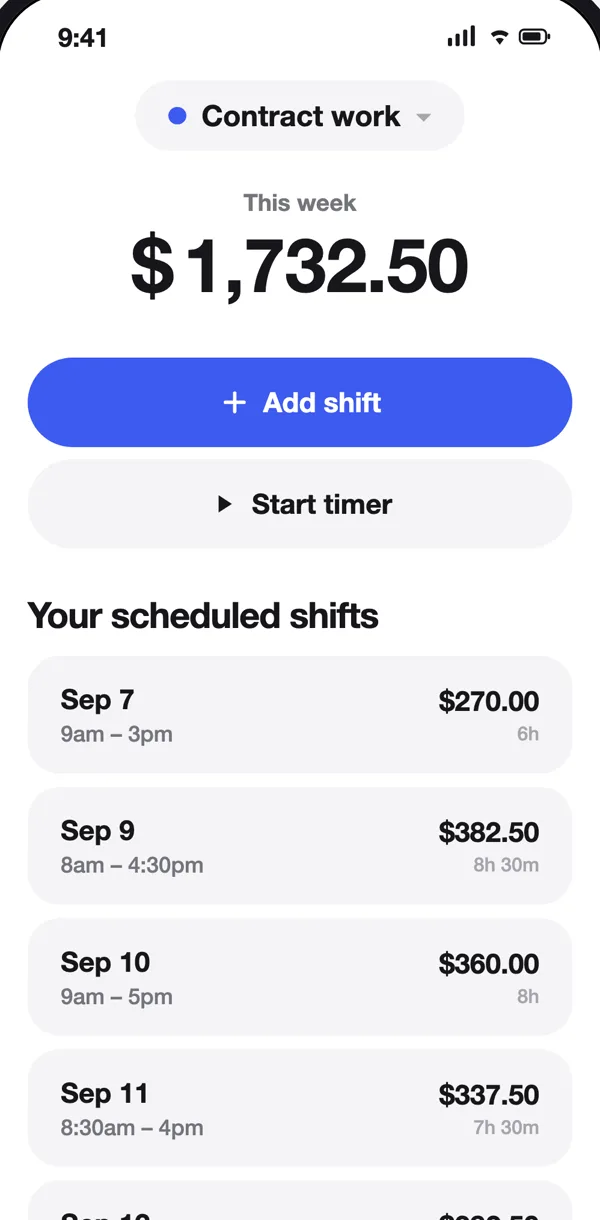
For anyone paid by the hour.





Built for shift work
Clock in and out
Or manually add a shift.
Pay and overtime
Breaks and overtime included.
Multiple jobs
Each with its own rate.
Export
PDF, Excel or CSV.
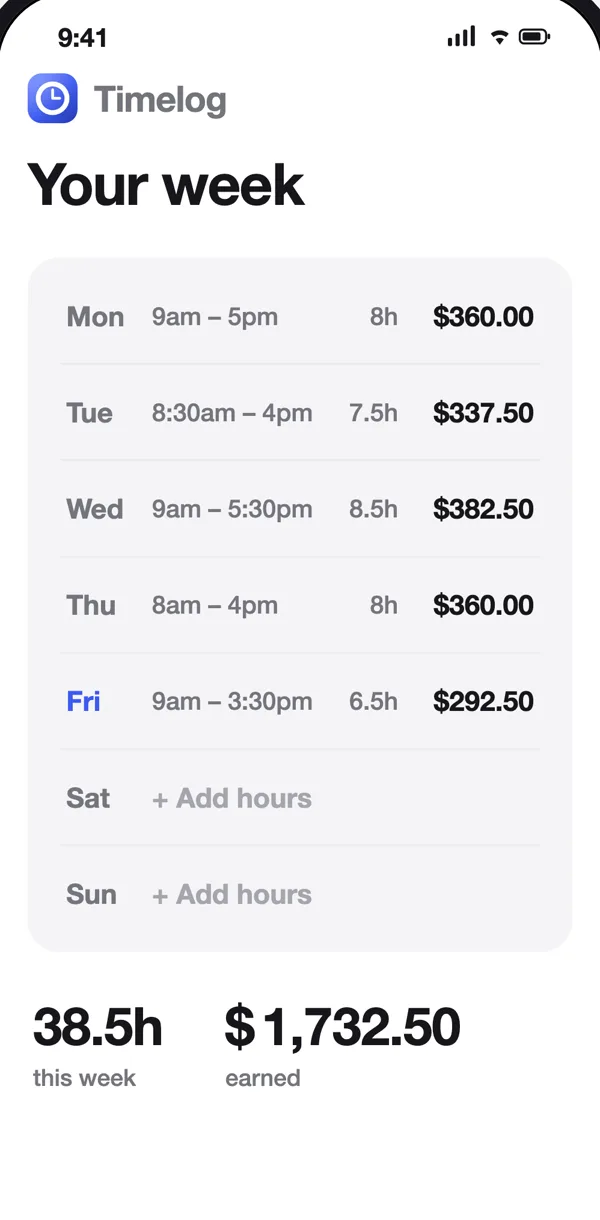
Your week at a glance.
Every shift, with hours and pay. Missed one? Tap the day and add it.
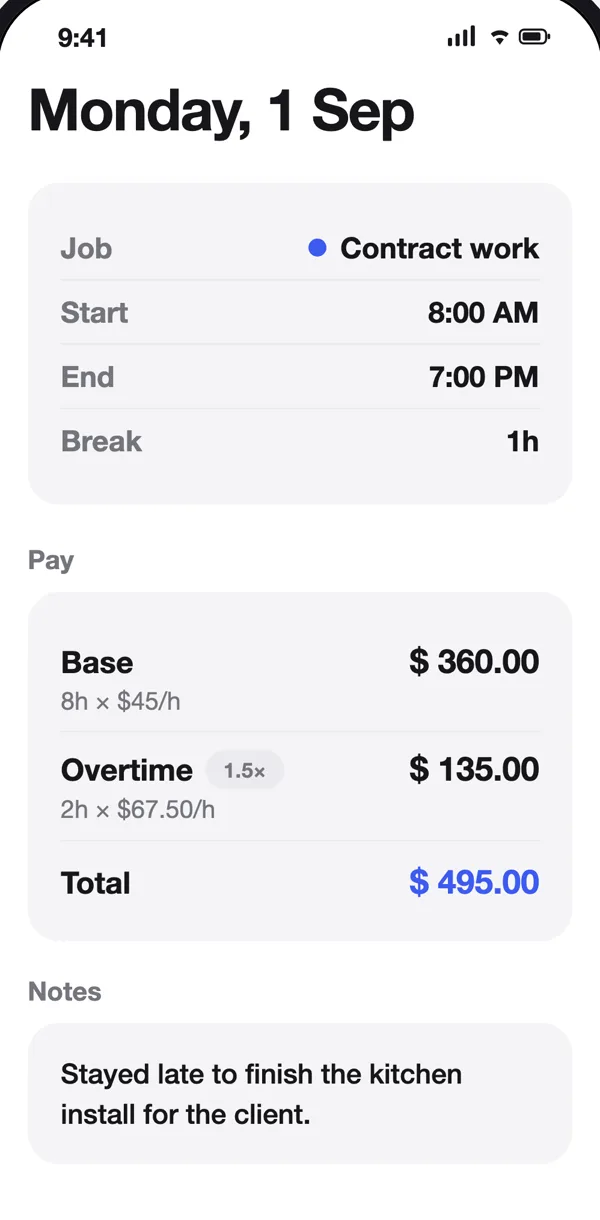
Pay you can check.
Base and overtime on separate lines, with the rate used for each.
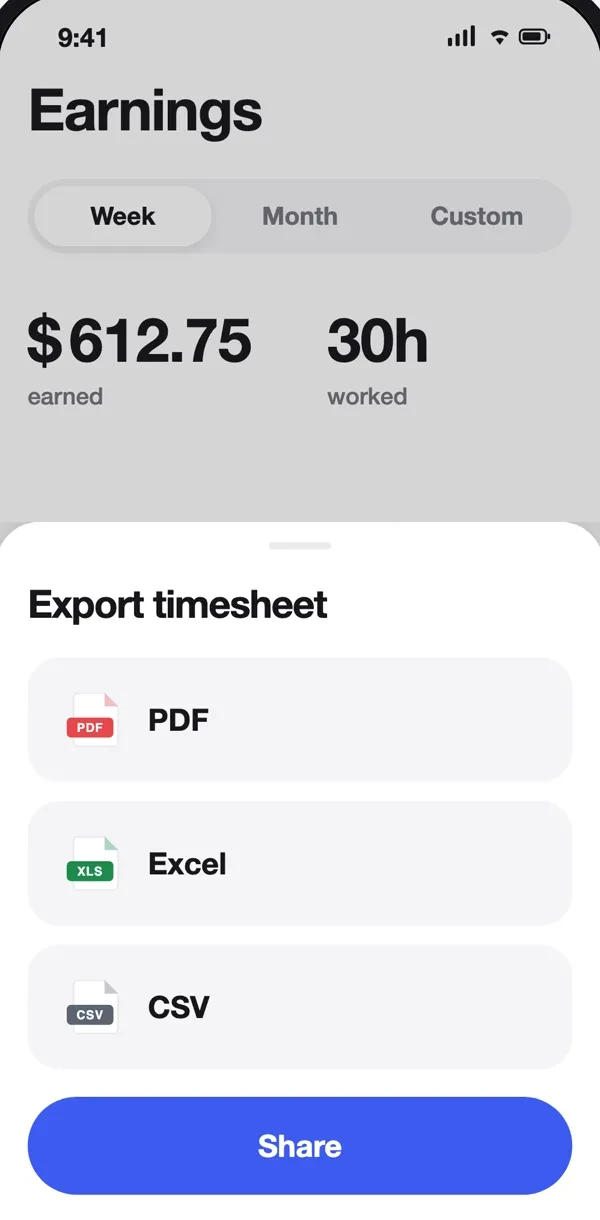
Share your timesheet.
Pick the dates, pick a format, share.
Try Timelog for free.
Free
Free download
- One job
- Clock in, breaks, pay
- Last 14 days
Premium
Subscription or lifetime
- Multiple jobs
- Overtime pay
- Export
- Full history
Prices are shown in the App Store. Not a payroll or tax tool.
Guides for hourly work
Quick guides on hours, overtime and pay.

The Best Apps to Track Work Hours (2026)
Seven hours tracker apps compared, with the catch for each one.
Read guide →
How to Calculate Hours Worked
The one formula you need, with examples for lunch breaks, overnight and split shifts, plus Excel formulas.
Read guide →
How to Calculate Overtime Pay (2026)
Time and a half with real numbers: weekly vs daily overtime, the biweekly trap, California rules and the new tax deduction.
Read guide →Frequently asked questions
What is Timelog?
Timelog is a work hours tracker app for iPhone that logs shifts, breaks and overtime and calculates what you should be paid for hourly work. Clock in with one tap, or type in a shift after the fact. Timelog keeps a weekly timesheet with your hours and estimated pay, so you can check it against your paycheck.
Is Timelog free?
Yes, Timelog is free to download. It tracks shifts, breaks and overtime, works out your pay, handles multiple jobs and exports timesheets as PDF, Excel or CSV. Some features are an optional in-app upgrade, and the price is shown in the App Store before you pay.
Does Timelog need an account or internet?
No. There is no sign-up and no login. Your shifts live on your iPhone, and the app works with no signal, so you can clock in from a basement kitchen or a job site with one bar.
How does Timelog calculate overtime?
You set a daily threshold and a multiplier for each job, for example 1.5× after 8 hours a day. Timelog takes off your break, splits the shift at the threshold and shows base hours and overtime hours on separate lines with the rate used. An 11-hour day with a 1-hour break at $45/h shows as 8h × $45 plus 2h × $67.50, $495 in total. It does not apply the federal 40-hour weekly rule automatically; see our overtime pay guide for how to check weekly overtime.
Can I track more than one job?
Yes. Each job gets its own hourly rate, currency, colour, default break and overtime rule. The Earnings screen shows each job on its own and all of them together, so a barista shift at $19/h and a freelance day at $60/h add up correctly.
Can I send my hours to my boss or a client?
Yes. Export any week, month or custom date range as a PDF, an Excel file or a CSV, then share it by email, Messages or AirDrop. PDF is for sending, Excel for editing, CSV for payroll systems.
Is Timelog a payroll app?
No. Timelog is your own record of the hours you worked and what you should earn before tax. It does not run payroll, work out tax or net pay, or connect to your employer's systems. There is no team management, GPS clock-in or cloud sync. It is the number you compare your paycheck against.
Is Timelog on Android?
Not yet. Timelog is for iPhone only. On any phone or computer you can use the free time card calculator on this site to add up a week.